
Payroll Onboarding
Follow these steps to start your payroll with us.
How to Complete Payroll Onboarding
Sign the Payroll EFT Application
-
1
Click E-mail Link
-
Click the link from the e-mail you received from "Accountant's World Payroll Relief."
For security purposes, the link will expire in 7 days. Please let us know if you would like us to resend it.
-
2
Company Information
-
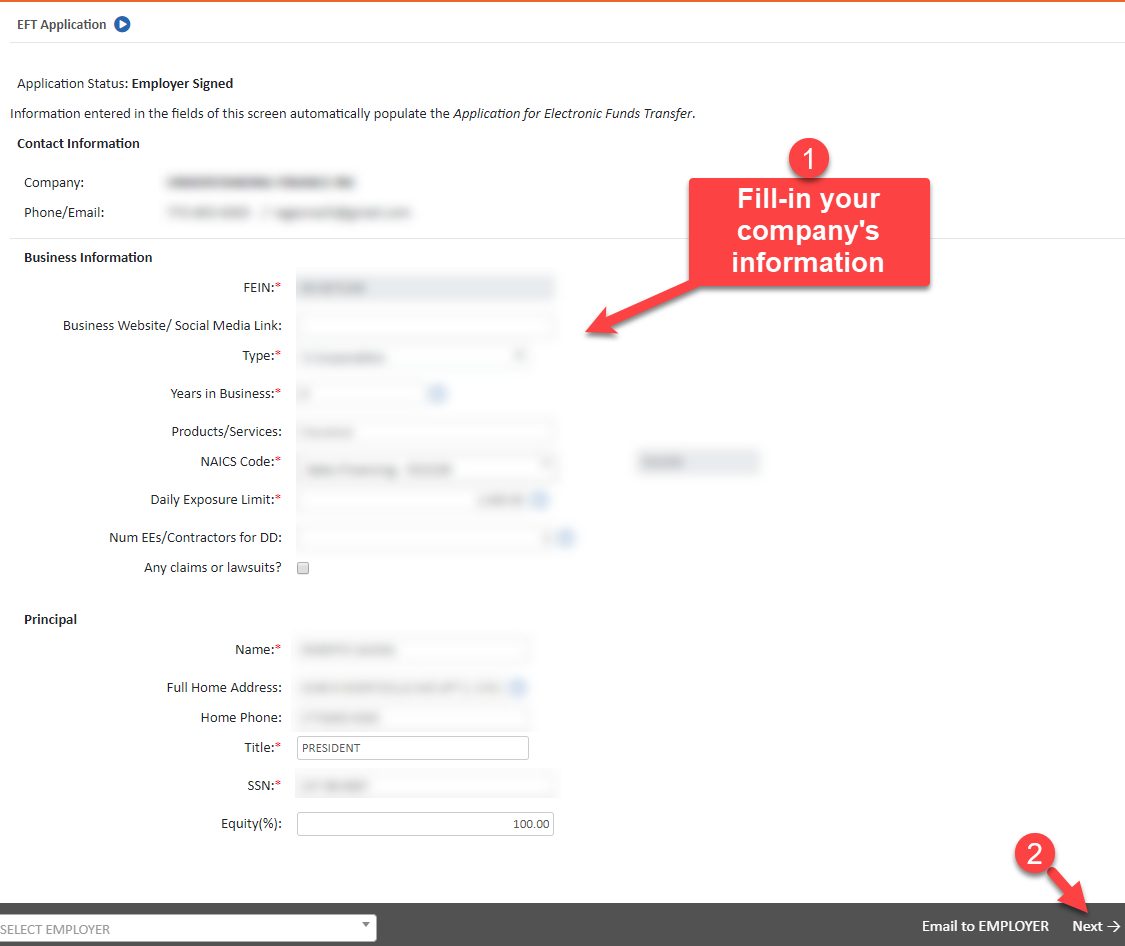
Confirm or enter your business information
-
3
Select Your Business Bank Account
-
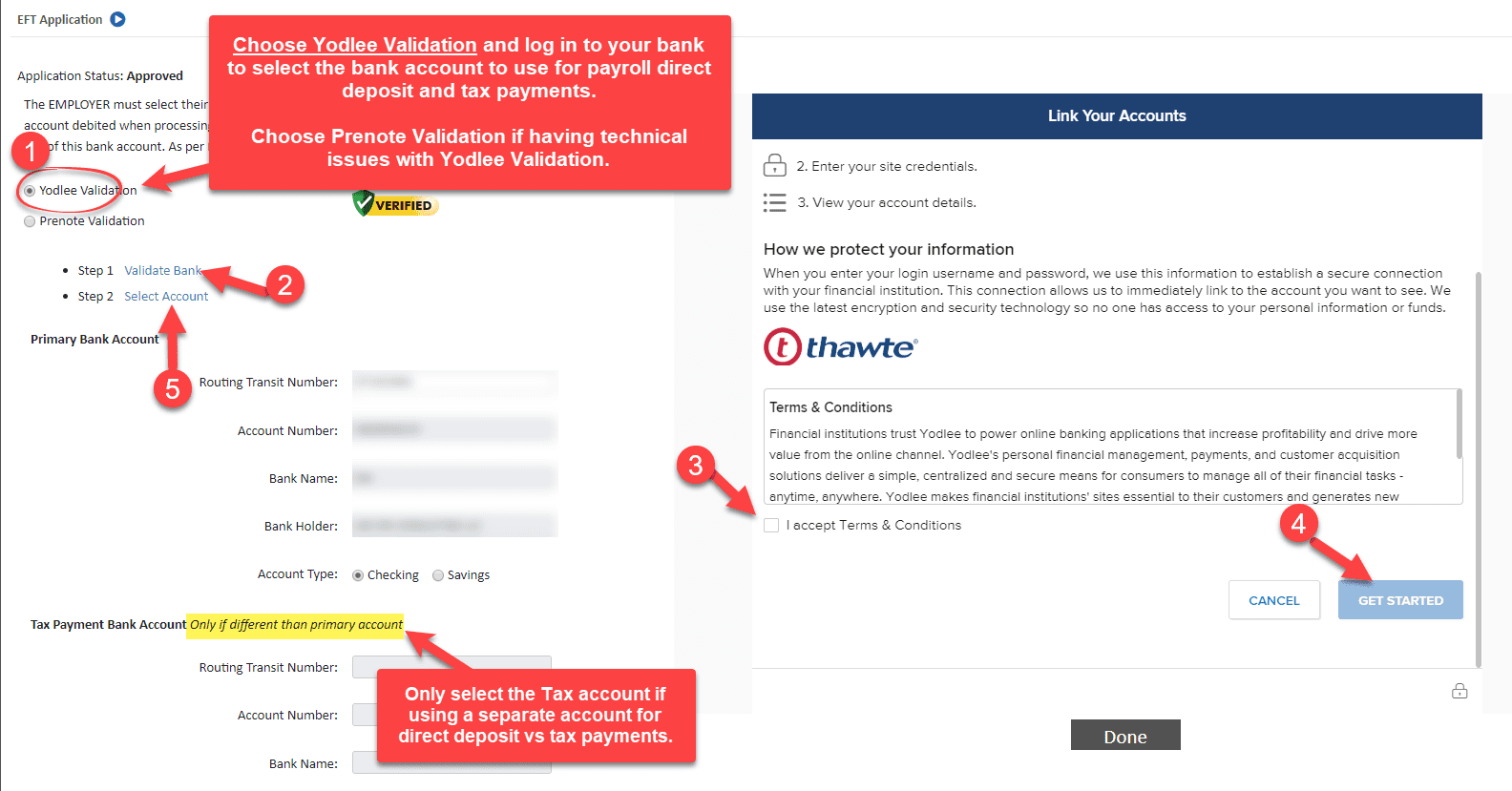
Choose Real Time Bank Validation for instant bank account verification.
Select your business bank account to pay direct deposit and payroll taxes from. Most likely, it will be the same account, so do not select a Tax account.
If you have any technical issues, choose Prenote Validation and enter your business bank routing and account number. You will be asked to confirm a small debit to your bank account to verify you own the account. The debit will take place within a day or so and will be between $0.01 and $1.00. Please let us know the amount so we may confirm the ownership of the account.
-
4
Authorize EFT
-
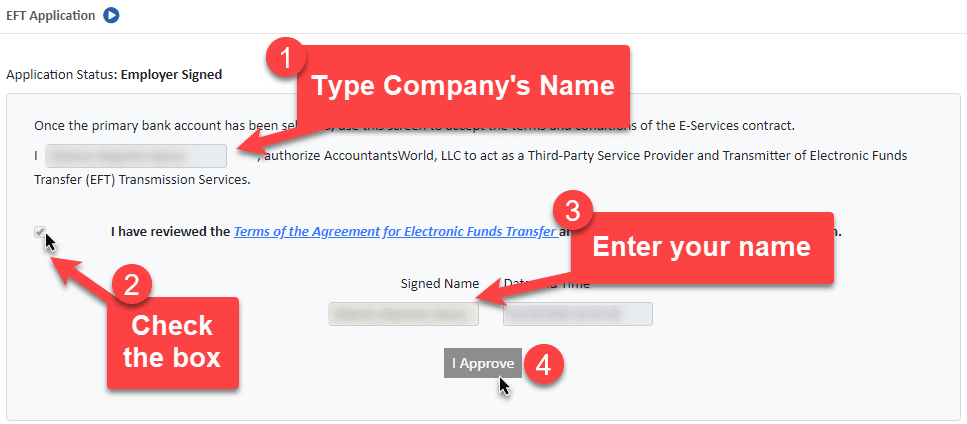
Please enter your business name, your name, tick the checkbox, and click I Approve.
-
5
Sign Payroll Application
-
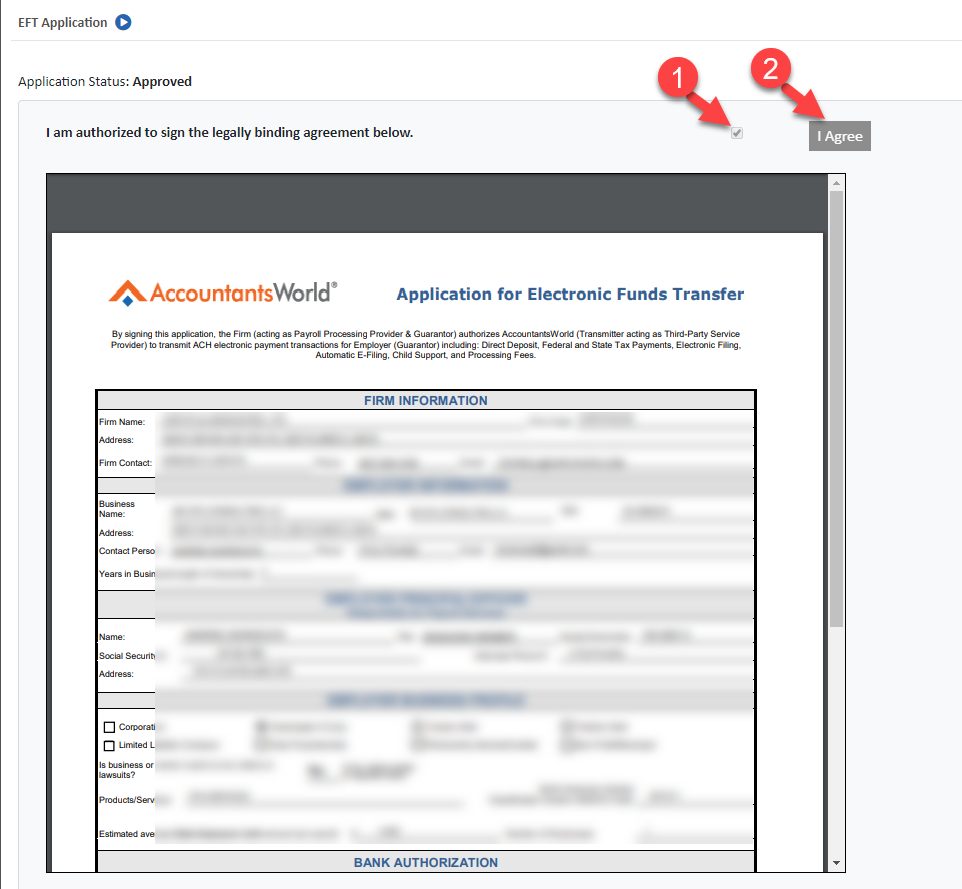
Sign the payroll application by ticking the box and clicking I Approve to authorize us to process payroll on your behalf.
Other Resources
Account Access & Client Portal
Set up third-party bank access, connect to IL MyTax, and log in to your client portal.
View GuideBookkeeping Tips
Best practices for keeping your books clean and your records audit-ready throughout the year.
View GuideTax Preparation Tips
How to prepare for tax season, what documents to gather, and what to expect from the process.
View Guide